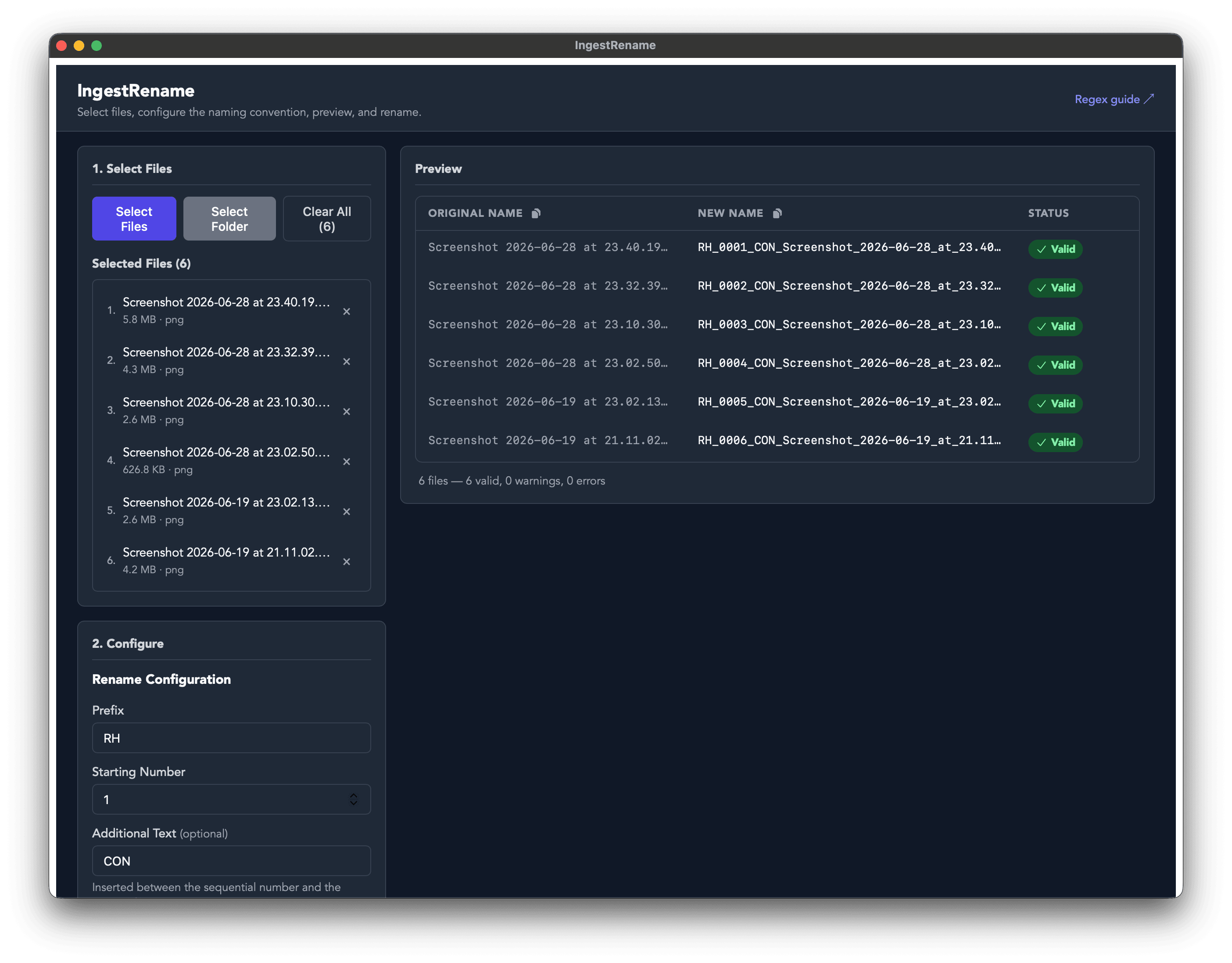
Overview
At work in post-production, we receive batches of files constantly and they always arrive named with pretty generic names with no mention of their source. Tracking things properly means everything needs to follow a consistent convention the moment it lands on a drive. Macs do have a good built-in renaming function but on PCs but we needed a solution that works across Mac and PCs with a few more time-saving features.
It's built for handling hundres of archive clips and batch renaming them in one, following the naming convention for that produxtion and can including a unique article number, the source and the story it is for. Sometimes less isn't more.
Key Features
- Batch rename with a customisable convention.
- Real-time preview table showing before/after filenames as you adjust settings and before changes are made.
- Stackable renaming operations such as find & replace, add/remove text, change case, date stamps, counters and more.
- Operations can be reordered via drag-and-drop as needed.
- A copy icon to batch copy every single file name for entry to a log.
- One-click undo to revert an entire batch.
- Saveable presets that persist between sessions.
- Runs natively on macOS and Windows thanks to Tauri.